Wi-Fi Handbook: Building 802.11b Wireless Networks
The best guide to designing and building Wi-Fi.
 TABLE OF CONTENTS
 Now comes implementation time. The following pages will provide guidelines for implementing wireless networks in a variety of settings.
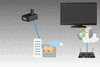
It is fairly simple to set up a home network. The advantage of going wireless at home is that one can use the DSL or cable connection in other rooms besides where the service comes in the house. For example, with a good wireless connection, you can sit outside on a nice day and answer emails and surf the Web. Also, a wireless connection can extend the broadband service to your living room and other parts of the house.
For the most part, it's okay to mix and match equipment from different vendors. The setup is relatively simple. You essentially plug the AP/router into the DSL or cable modem and run a short configuration program. Change your service set identifier (SSID) from the default value to something not too obvious. Then set up the client access card in much the same way. Use the same SSID for both your AP and client cards. Once you have it working without the WEP key, the most important part is to use the same WEP key for all the computers in your household and change it often. You can take some other security precautions such as limiting access using MAC filtering.
However, the WEP key department does have some gotchas. Older APs support only 40-bit WEP keys, whereas the new products support both 40 and 128...