The OpenVMS User's Guide, Second Edition
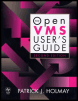
A broad introductory overview of OpenVMS that focuses on command procedures, text editing and system utilities.
 TABLE OF CONTENTS
 Users can access the OpenVMS operating system from a wide variety of devices, ranging from desktop devices to character-based terminals. If you are accessing OpenVMS with a windowing device such as a personal computer (using UNIX, MS Windows, OS/2, or Macintosh), it is recommended that you familiarize yourself with the keyboard functions associated with the terminal emulation software in use before proceeding. In this book we focus on two principal character-based terminal types: the VT100 and VT200. Before you begin, take a minute to familiarize yourself with your keyboard. Figure 1.2 illustrates the two common character-based keyboard layouts.
The main keyboard contains standard typewriter keys as well as some special keys like the Ctrl (control) key. The auxiliary, or numeric, keypad contains special function keys
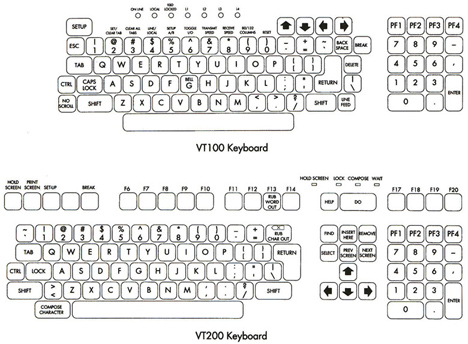
The Return key on the main keyboard is particularly important. You use it to enter a line of text that you have typed and to advance the cursor to the beginning of the next line.
Pressing the...