The OpenVMS User's Guide, Second Edition
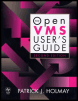
A broad introductory overview of OpenVMS that focuses on command procedures, text editing and system utilities.
 TABLE OF CONTENTS
 Poetry should surprise by a fine excess, and not by singularity. It should strike the reader as a wording of his own highest thoughts, and appear almost as a remembrance.
John Keats, Letter to John Taylor, 1818
Open VMS provides several different text editors, which you can use to create and edit text files. This chapter explores the text editor EDT. In this chapter, you will
Learn how to use EDT keypad mode
Learn how EDT stores a text file
Explore commonly used EDT keypad commands
Experiment with various methods of moving the cursor
Explore various ways to locate text
Examine different ways to recover from system interruptions
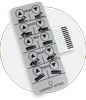
EDT is one of the full-screen editors offered by OpenVMS. It allows you to create and modify text files, which are files of characters and include such things as source programs, command files, and memoranda. EDT is described as a full-screen editor because text can be edited anywhere on the screen.
EDT has three separate modes (line, nokeypad, and keypad) that can be used in combination with one another. Line mode allows you to manipulate a range of one or more lines of text. It is used most frequently on hard-copy, or printing, terminals. In the nokeypad mode, English words and abbreviations are used to manipulate text on the screen. The keypad mode provides easy manipulation of text using simple keystrokes. Using the keys on the numeric keypad, to the right of the main keyboard, you can work...