The OpenVMS User's Guide, Second Edition
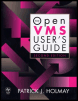
A broad introductory overview of OpenVMS that focuses on command procedures, text editing and system utilities.
 TABLE OF CONTENTS
 Many DCL commands identify one or more files to be processed. A file is a named collection of information. Files are stored permanently on an auxiliary storage device such as a magnetic disk, diskette, tape, or CD-ROM.
Each time you log in, OpenVMS provides you with a login directory that lists files you own. A directory is a file that contains information about other files. Chapter 2 discusses files and directories in more detail.
The DIRECTORY command displays a list of the files in the specified directory. To see a list of files in the current directory, type
$ <b class="bold">directory</b>Directory PACK2:[YOURGROUP.YOU]LOGIN.COM;1Total of 1 file.$
This form of the DIRECTORY command elicits the file names, file types, and version numbers of the files in the current directory. For example, for the file LOGIN.COM;1, the file name is LOGIN, the file type is .COM, and the version number is 1. This information is part of the file specification. If no files are in your directory, a message appears to that effect.
The /FULL qualifier may be used to see more information about the files, such as the number of blocks used, number of blocks allocated, date of creation, date of last backup, file protection, and so on for the specified file or files. For example, to see full information about the LOGIN.COM file, you would type
$ <b class="bold">directory/full login.com</b>Directory PACK2:[YOURGROUP.YOU]LOGIN.COM;1 ...