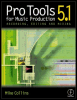
Pro Tools 5.1 for Music Production: Recording, Editing, and Mixing
Chapter 12: The Computer System

Introduction

Every Pro Tools system runs on a computer system, so you will need to know how to choose the best computer system for your application. Pro Tools was developed originally for Macintosh computer systems, and I use these, so much (although not entirely all) of this chapter will be Mac-specific. A detailed discussion of the specifications should help you to see the wood for the trees here. Choosing a Macintosh computer is one thing there are not too many models available. Choosing suitable peripherals is another as there are many options here. Setting up the computer, installing operating system software, formatting hard drives, tweaking the operating system and using third-party software such as OMS are covered first. SCSI, IDE and Firewire drives are all viable options for recording audio but which to choose and why? Backup is a vital area to address when your precious audio recordings are reduced to strings of ones and zeros being whizzed around on a hard disk platter at up to 10 000 r.p.m. Equally important disk maintenance and repair are covered in some depth. The last section deals with troubleshooting when the computer won t even blink at you this can be a real session stopper!

Recording engineers and producers, composers and musicians, especially if they have been brought up on analogue technologies, will probably be new to much of this stuff. Nevertheless, if you can handle an SSL console or a Yamaha 02R, or use Logic Audio or Sibelius, you should not have too much trouble with anything...

UNLIMITED FREE
ACCESS
TO THE WORLD'S BEST IDEAS

SUBMIT
Already a GlobalSpec user? Log in.

This is embarrasing...

An error occurred while processing the form. Please try again in a few minutes.

Customize Your GlobalSpec Experience

Category: Hard Drives
Finish!
Privacy Policy

This is embarrasing...

An error occurred while processing the form. Please try again in a few minutes.