Introducing 3ds Max 2008

Materials

Materials are useful for making your objects appear more lifelike. If you model a table and want it to look like polished wood, you can define a shiny material in 3ds Max and apply a wooden texture, such as an image file of wood, to the diffuse channel of that material.

Note

The first half of this chapter shows you the parameters and functions of the materials and the Material Editor window. If you want to skip ahead to work on a mapping exercise, go to the "Mapping a Pool Ball" section later in the chapter. Make sure you come back to skim over the hows and whys in the first half of the chapter.

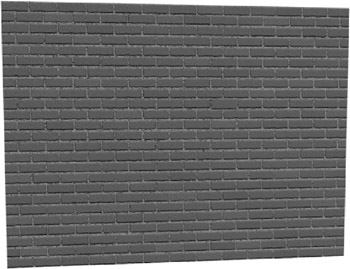
Materials also come in handy when you want to add the appearance of detail to an object without actually modeling it. For instance, if you want a brick wall to look like real brick, but you don't want to model the bricks in the wall, you could use a brick texture. Using a texture would be a time-saving alternative. You can plainly see a brick wall in Figure 7.1.


Figure 7.1: A brick wall

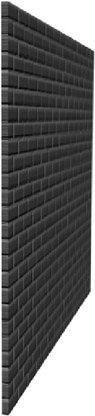
However, in Figure 7.2, the wall shows the appearance of detail in each line of bricks using a texture map (called bump mapping). This texture map renders the appearance of dimension for each brick and the inset grooves between each of them, without the hassle of actually modeling the surface of the wall with that level of precision.


Figure...

UNLIMITED FREE
ACCESS
TO THE WORLD'S BEST IDEAS

SUBMIT
Already a GlobalSpec user? Log in.

This is embarrasing...

An error occurred while processing the form. Please try again in a few minutes.

Customize Your GlobalSpec Experience

Category: Masonry Services
Finish!
Privacy Policy

This is embarrasing...

An error occurred while processing the form. Please try again in a few minutes.