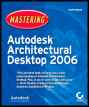
Mastering Autodesk Architectural Desktop 2006
Part 2: Conceptual Design

Chapter List

Chapter 4: Mass Modeling
Chapter 5: Project Management
Chapter 6: Space Planning

Overview

The design process often starts by considering the big picture. What are your client's needs? What sort of parti do you have in mind that fulfills the building program? How does the building respond to its site? Do you sketch schematic ideas in a notebook or have you ever been caught sketching important design ideas on a cocktail napkin during an inspiring conversation?

Tip

Check out SketchUp (www.SketchUp.com) and tablet computers for the ultimate portable digital conceptual design solution. SketchUp exports .dwg files that you can bring into ADT to continue with design development. Autodesk used to have a similar product called Architectural Studio that has been discontinued.

If you are designing an entire structure, creating a massing model in ADT might help you to work out spatial design ideas when they are still in the conceptual stage. Developing a massing model is an "outside-in" design process, in which you'll create overall exterior volumes called mass elements to determine the structure and proportion of a building.

In this chapter's tutorial approach, you'll organize mass elements into mass groups and learn techniques to better visualize and document the massing model. In the end, you'll slice floorplates from the massing model that determine the boundaries of the individual floors of the building. Finally, you'll convert floorplates to space boundaries that you'll use to develop a project structure in the next chapter. This chapter includes...

UNLIMITED FREE
ACCESS
TO THE WORLD'S BEST IDEAS

SUBMIT
Already a GlobalSpec user? Log in.

This is embarrasing...

An error occurred while processing the form. Please try again in a few minutes.

Customize Your GlobalSpec Experience

Category: Engineering Consulting Services
Finish!
Privacy Policy

This is embarrasing...

An error occurred while processing the form. Please try again in a few minutes.