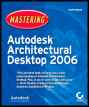
Mastering Autodesk Architectural Desktop 2006
Parametric layout is the formal name of what is more commonly called a layout the word parametric is added to distinguish the term from paper space layouts, a well-known AutoCAD concept. Layouts in this context refer to objects whose purpose is to literally lay out objects that will ultimately be anchored to them.
Layouts are structures forming a logical spatial arrangement controlled by parameters. For example, a column grid is a specialized kind of layout that column objects can be anchored to and controlled from. Anchors are fixed relationships that bind objects such as columns to a column grid.
After you understand layouts and anchors, you'll be able to work effectively with structural members, the first real building objects you will encounter in the design development phase of any project. ADT's structural member object type includes columns, beams, and braces. Here you'll learn to model structural members so you can work in conjunction with a structural engineer. This chapter's topics include the following:
Using Parametric Layouts
Anchoring Objects
Working with Structural Members
There are three types of layouts on which you can anchor objects: curves (1D), grids (2D), and volume grids (3D). You might use a layout curve to arrange light fixtures on a ceiling track, lavatories along a washroom wall, or an array of planter boxes in a site plan. Layout grids are commonly used to lay out columns, either radially or in rectangular fashion. Volume grids organize space using rectilinear cells,...