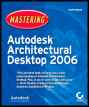
Mastering Autodesk Architectural Desktop 2006
Part 4: Construction Documentation

Chapter List

Chapter 13: Annotating, Tagging, and Dimensioning
Chapter 14: Schedules, Display Themes, and Areas
Chapter 15: Floor and Ceiling Plans
Chapter 16: Sections and Elevations
Chapter 17: Details and Keynotes

Overview

We start the process of documenting designs for construction by looking at how to annotate in Architectural Desktop: a skill that includes labeling drawings with descriptive text, drawing leaders (lines that lead the attention to noteworthy features), and adding a wide variety of symbolic documentation content.

Tagging is the process of adding symbols to a drawing that reference invisible data stored in the project. For example, a door tag might be a circular symbol that has a number inside that you insert adjacent to a door. The number identifies the door as belonging to a particular room. You don't enter the room number in the tag it is referenced instead from invisible data. The invisible data attached to objects can be scheduled, or brought together and displayed on the drawing in table form (see Chapter 14, "Schedules, Display Themes, and Areas").

The third topic in this chapter deals with dimensioning, which is the art of illustrating the sizes of objects in two dimensions. You'll find that the process of adding dimensions is streamlined in ADT as compared with AutoCAD. ADT uses architecture, engineering, and construction (AEC) dimension styles that are separate from but built on top of AutoCAD dimension styles. AEC dimensions have many advantages for illustrating the sizes of AEC objects: Their size depends on...

UNLIMITED FREE
ACCESS
TO THE WORLD'S BEST IDEAS

SUBMIT
Already a GlobalSpec user? Log in.

This is embarrasing...

An error occurred while processing the form. Please try again in a few minutes.

Customize Your GlobalSpec Experience

Category: Mechanical Computer Aided-Design Software (MCAD)
Finish!
Privacy Policy

This is embarrasing...

An error occurred while processing the form. Please try again in a few minutes.