Compaq Visual Fortran: A Guide to Creating Windows Applications
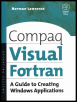
This guide supplies step-by-step training techniques for building Visual Fortran applications without the knowledge requirement of C or C++.
 TABLE OF CONTENTS
 The 22 common controls listed in Table 11.1 can be used to help create applications with a professional-looking user interface. We have already met four of these controls in Chapter 7 (up-down, status bar, tool bar, and tool tips), and in this chapter we will learn how to use six more common controls animation control, month calendar control, date and time picker control, tab control, tree view control, and list view control. Once you have grasped the programming techniques used with all ten of these common controls, you will have gained enough knowledge to be able to include any of the remaining available common controls with your applications. Detailed information about each control can be obtained from the online documentation under the topic "Common Controls," which also contains some sample code (in C) for each control.
| Animation control | Hot key control | Progress bar control | Tool tip control |
| Combo box control | Image list | Property sheet | Track bar control |
| Date and time picker control | IP address control | Rebar control | Tree view control |
| Drag list box | List view control | Status bar | Up-Down control |
| Flat scroll bar | Month calendar control | Tab control | |
| Header control | Pager control | Tool bar control |
The interface definitions of the controls supported by Visual Fortran are contained in the COMCTL32.f90 file. Any Visual Fortran application that uses a common control must contain USE COMCTL32 in addition to the normal USE DFWIN. The program should declare a variable of the structure type...