Compaq Visual Fortran: A Guide to Creating Windows Applications
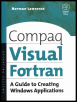
This guide supplies step-by-step training techniques for building Visual Fortran applications without the knowledge requirement of C or C++.
 TABLE OF CONTENTS
 The Resource Editor is very powerful and easy to use. In this chapter, we will use dialog boxes for simple applications, and in Chapter 5 we will develope more complex dialog boxes for applications to illustrate the use of callback routines and the range of controls that is available to QuickWin Users.
We will use the Resource Editor in this chapter to:
Create a dialog box that displays information stored in a string table resource.
Use an HTML file to provide program help capabilities.
Create an About dialog box that uses icons and bitmaps.
Show how to store version information in a resource file and display this information in an About box.
Dialog boxes may be "modal" or "modeless." The modal dialog box style is the most commonly used; currently, it is the only type available for QuickWin applications. With a modal dialog box, the user cannot switch between the dialog box and another window or control in the same program. The user must explicitly close the dialog box before any other action can be initiated within the program. As will be demonstrated in the following section, dialog boxes are easy to create and incorporate into a program by using the Developer Studio Resource Editor.
Use of the Resource Editor is best demonstrated through a simple application that uses a dialog box to provide the program user with instructions.
First, create a new QuickWin multiple window application called Instructions. Then copy the three...