Compaq Visual Fortran: A Guide to Creating Windows Applications
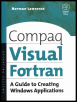
This guide supplies step-by-step training techniques for building Visual Fortran applications without the knowledge requirement of C or C++.
 TABLE OF CONTENTS
 As discussed in Chapter 15, the AUX library offers an easy approach to learning OpenGL, because only a few lines of code are needed to create an OpenGL window. Once the window is created, you can use any of the OpenGL functions to draw to that window. However, the window created by the AUX library has very limited capabilities.
In this chapter, we move on and use Win32 routines to create a conventional window with menus, dialog boxes, and so on for use with OpenGL functions. We need to specify a window that provides the rendering context for use with Open GL functions and this is achieved in the following sequence of events:
Set the pixel format of the device context using the function SetPixelFormat.
Create a rendering context with wglCreateContext.
Select the rendering context as the current context with wglMake-Current.
Call OpenGL functions.
When finished with the rendering context, remove it with the function wglDeleteContext.
A rendering context is not the same as a device context. A device context stores details of drawing instructions and drawing modes for GDI, whereas a rendering context stores information about OpenGL instructions and states.
Some of the OpenGL functions that we will use begin with wgl rather than gl. The w preceding the gl indicates that these are not true OpenGL functions; rather, they are functions especially written for the Windows operating system and hence they are nonportable to other operating systems. Interested readers can use the...