Microsoft Outlook 2000 E-mail and Fax Guide
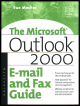
A tutorial and reference for advanced users and administrators.
 TABLE OF CONTENTS
 One of the most valuable features of Microsoft Outlook is its ability to gather messages and other information from many sources and deliver them to you, no matter where you might be. Staying in touch whether you're at home, in the office, or on another continent becomes a matter of a few mouse clicks.
This chapter is not just for travelers, though. Many people work remotely because their mail server is not in the same building and they don't stay connected to it all the time.
After describing the different ways you can work remotely with Microsoft Outlook, this chapter also describes two techniques available only to Corporate or Workgroup (CW) mode users Remote Mail and synchronization with Microsoft Exchange Server. We also look at methods for synchronizing your folders between locations in a non Exchange Server environment.
Outlook offers three ways to work remotely:
Using Outlook with an online remote connection is just like being in the office,...