Introducing Revit Architecture 2009

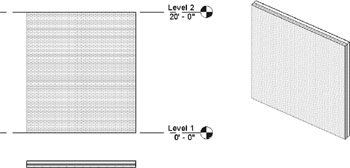
Walls are one of the basic building blocks of architecture, and they are easily constructed with Revit. Walls are built up from layers of materials that give the wall thickness they aren't a mere collection of parallel lines. Each material has a user-definable representation for cut and projected geometry, which makes it possible for walls to be represented properly depending on the type of view the wall appears in. For example, when you draw walls in plan view (see Figure 4.6), you see the wall as if it were being cut, with materials represented as abstract hatch patterns. When you look at the same wall from an elevation or in 3D view, you see materials represented with a more realistic expression. You can see how materials are defined by opening the Settings ? Materials dialog box. You'll see that each material has a projection and cut pattern associated with it. Any of these materials can be used in the construction of your walls. You can also define your own materials here, for use in your project.
The materials in walls can be designed to provide automatic layer routing, greatly reducing the need to manually deal with wall intersections. Stud layers connect with other stud layers and bypass finish layers, creating clean join representations.
Wall layers are properties of each wall type (see Figure 4.7) and can be accessed through the Element Properties dialog box. When the Properties dialog box is open, click the Edit/New...