Adobe Photoshop Elements 6 Maximum Performance: Unleash the Hidden Performance of Elements

Most users of this book will have some experience of digital imaging and Photoshop Elements, but just check the following to make sure all is in order before you start.

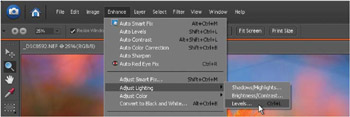
The commands in Photoshop Elements allow the user to modify digital files and are accessed via menus and submenus. The commands used in the projects are listed as a hierarchy, with the main menu indicated first and the submenu or command second, e.g. Main menu>Command. For example, the command for applying a Levels adjustment would be indicated as follows: Enhance>Adjust Lighting >Levels. If you get stuck or are unclear, watch the movie on the supporting DVD and follow my mouse cursor to help you find what you are looking for.

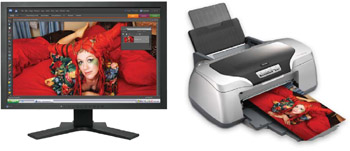
If your images are going to look good everywhere not just on your own monitor it is advised that you calibrate your monitor (set the optimum color, brightness and contrast). I recommend that you use a Hardware White Point or Color Temperature of 6500 K (daylight)' and a Gamma of 2.2.

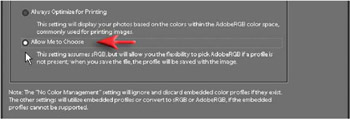
The colors are kept consistent between devices such as cameras, computers and printers through the use of color profiles. If you intend to print your images you would be advised to go to Edit>Color Settings and then click on the radio button that says Always Optimize for Printing . Elements will now use the larger Adobe RGB profile instead of the smaller sRGB profile.

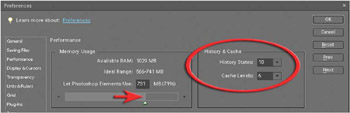
You will be working on images in excess of 5...