QuickTime for the Web: For Windows and Macintosh, Second Edition
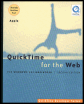
A comprehensive explanation of QuickTime for every multimedia author.
 TABLE OF CONTENTS
 You already use still images such as JPEGs and GIFs in your website. You can also use still pictures effectively in QuickTime. Compared to motion video, still pictures can deliver large and high-resolution images at very low data rates.
QuickTime lets you assign a fixed duration to each image, so a series of images can be linked together in a sequence, creating a slideshow. QuickTime also lets you combine your slides with other media, such as music or speech (or both) for maximum effect. You can also apply QuickTime transition effects between slides. The results are a striking improvement over a static Web page, but still play in real time over most dialup connections.
Still images can also be added to existing QuickTime movies. A still image can be used as a backdrop for scrolling credits, for example, or your logo can be superimposed in the corner of a video track.
This chapter shows you how to do all these things. In the process, it shows you how to use QuickTime Player to edit movies, resize images, set graphics modes, put image tracks side by side, composite tracks with different types of media (such as video and sound), and change or scale the duration of a clip.
This chapter covers
importing images into QuickTime
creating slideshows
adding sound to a slideshow
converting PowerPoint presentations into QuickTime
adding a still image as a movie background
adding a logo to a movie
alpha channels, transparency, and translucence
color and gamma
popular...