QuickTime for the Web: For Windows and Macintosh, Second Edition

A comprehensive explanation of QuickTime for every multimedia author.
 TABLE OF CONTENTS
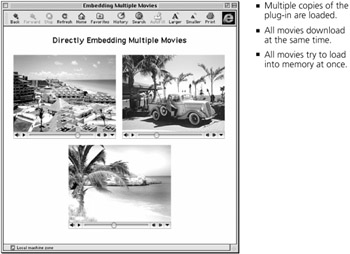
 Sometimes you want to put multiple QuickTime movies on a single Web page. This presents a problem. Like most problems, there's a way to solve it that's simple, obvious, and wrong:
Don't do this. If you put multiple movies on your Web page using multiple tags you'll run into the following problems:
Every tag on the page loads a copy of the plug-in, which requires its own block of memory. It adds up.
All the movies download at once, right along with your Web page. It takes forever.
All the movies try to load into memory at once. Oops.
To see an example of this approach, load MultiMovie1.htm (in the SpecialDelivery folder on the CD).
You might use this approach successfully for a page with a few small movies or in a controlled environment two or three short audio loops, for example, or short movie clips on an intranet page for users with a known amount of RAM.
For pages with several large movies or MP3 files, delivered over the Internet, this is a recipe for trouble.
Fortunately, there are other solutions. You can use poster movies, target the movies to QuickTime Player, target the movies to a common frame or window, or you can use a little JavaScript.
Poster movies are described in "Making a Poster Movie" (page 71) and "" (page 51). To embed multiple poster movies on a page, try this:
This still loads multiple copies of...