IT Manager's Handbook: Getting Your New Job Done
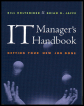
This is a how to be an IT manager book, and it covers every area possible and then some.
 TABLE OF CONTENTS
 You've heard of killer applications, but not killer hardware. That's because the real value of a computer system is the software. In other chapters of the book we examine the network operating systems software and enterprise resource planning (ERP) software. Here, we take a look at the desktop operating system (OS), Linux, as well as important issues to think about regarding software in large environments (deployment, testing, upgrades, etc.).
The Web is your best source for up-to-the-minute pricing data. Company brochures and literature are a close second. Most companies have both a Web and a paper version of product information. Web sites often include very detailed spec sheets about their products often in PDF format so that they can be easily printed.
Of course, with highly complicated and sophisticated products (e.g., an enterprise resource planning system), it might be impossible for the vendor to provide comprehensive information in a glossy brochure. In cases like this it could require research, reference checks, vendor briefings, ad presentations, and so on before you fully...