Apple Aperture 2: A Workflow Guide for Digital Photographers
Including clear explanations and step-by-step guidance, this book shows you the best way to import, organize and enhance your images for ease of management and high quality results.
 TABLE OF CONTENTS
The ultimate conclusion of taking a picture is bringing it to the public's attention. Whether that public extends to a million people in a newspaper or just the members ofyour family, the goal is the same and so are the tools at your disposal.
Fortunately Aperture caters well here, as besides allowing you to export your images in the traditional sense - effectively saving them out as digital files - it also allows for a full range of printing and online publishing. It works in tandem with Kodak printing services to output prints, ties in with Apple's own MobileMe online service for publishing Web galleries, gives you the option of producing impressive books for personal or portfolio use and lets you create slideshows and contact sheets for reviewing and showing off your work.
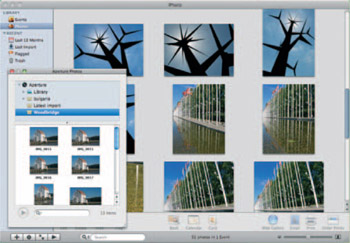
There are, unfortunately, some obvious omissions from Aperture's output options, including the cards and calendars available in iPhoto 08. The easiest way to plug this gapis to view your Aperture Library in iPhoto and create cards and calendars from there, but this will require a copy of the Life suite (of which iPhoto is a part) at a cost of 55 (Fig. 8.1
Unless you want to use all of your images in...