After Effects in Production: A Companion for Creating Motion Graphics
Tutorials and case studies for anyone who uses Adobe s After Effects multimedia authoring and product software for 2D or 3D productions.
 TABLE OF CONTENTS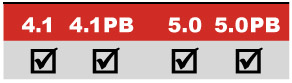
Creating energy through the use of Time Remapping, Transfer Modes, stock footage, and a pair of plug-ins.
Main Concepts:
These are the features and concepts we will be focusing on in this project:
Importing Photoshop and Illustrator files as Comp
Sequence Layers keyframe assistant
Time Remapping a comp
Blending with Transfer Modes
Nesting a composition
Precomposing
Animating Scale and Opacity
The Wiggler (optional)
Motion Blur
Using pyro special effects movies
Knoll Light Factory LE effect*
Radio Waves effect (optional)
Requirements:
After Effects 4.1 or later standard version; Production Bundle is optional (it s only necessary for the step using the Production Bundle s keyframe assistant The Wiggler). Version 5.0 needed for the Radio Waves effect, but this is also optional.
Third party effects: Knoll Light Factory LE effect (included on this book s CD).
Getting Started:
* Be sure to install the Knoll Light Factory LE effect from Pinnacle Systems (www.pinnaclesys.com) included on the accompanying CD in the Free Plug-ins folder.
Inside the Tutorials master folder on the accompanying CD, locate and copy the folder 01_Atomic Cafe to your hard drive.
In the folder Final Movie, double-click on and play AtomicCafe.mov in QuickTime Player. Inside the Project folder you ll find the finished After Effects project file.
Depending on the version of After Effects you are using (4.1 versus 5.0 or later), open the project AtomicCafe_4.aep or AtomicCafe_5.aep. This is your starting point; we suggest you save under a new name after each major section.








