After Effects in Production: A Companion for Creating Motion Graphics
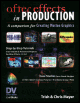
Tutorials and case studies for anyone who uses Adobe s After Effects multimedia authoring and product software for 2D or 3D productions.
 TABLE OF CONTENTS
Swooping through a universe of 2D layers that auto-orient toward the camera.
Main Concepts:
These are the features and concepts we will be focusing on in this project:
Auto-Orient Camera along Path
Expressing the Light Position
Auto-Orient Light along Path
Multiple view windows
Pixel Aspect Ratio correction
Auto-Orient layers toward Camera
Creating a 3D layer
Adding camera roll
Depth of Field & Focus Distance
Field rendering
Adding Output Modules
Rendering a separate fill and matte
Rendering with straight alpha
Requirements:
After Effects 5.0 or later standard version.
(Rendering techniques in Part 4 are applicable to all versions.)
Getting Started:
Inside the Tutorials master folder on the accompanying CD, locate and copy the folder 09_Planets to your hard drive.
In the folder Final Movie inside this main folder, double-click on and play Planets.mov.
Inside the Project folder you ll find the finished After Effects project file Planets_5.aep. Open the project file this is your starting point; we suggest you save under a new name after each major section.
This tutorial serves two purposes: to teach some additional tricks that help manage layers in 3D space, and to prepare elements that will be used in the next tutorial. You will animate a 3D camera through a number of objects flat art of fanciful planets arranged at varying distances in Z space. The camera and light will both auto-orient along the path they re traveling, and the flat objects will auto-orient toward the camera as it flies past to help maintain...