After Effects in Production: A Companion for Creating Motion Graphics
Tutorials and case studies for anyone who uses Adobe s After Effects multimedia authoring and product software for 2D or 3D productions.
 TABLE OF CONTENTS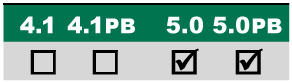
Employing Parenting to animate a multisegment robot arm, and adding a Premiere-edited video montage to the inset screen.
Main Concepts:
These are the features and concepts we will be focusing on in this project:
Importing Photoshop as Comp
Anchor Point and Rotation
Parenting
Importing Premiere as Comp
Relinking missing footage
Trim Comp to Work Area
Slip Editing, Overlay Edit
Vignetting the background
Mask Feather and Mask Expansion
Importing Illustrator as Comp
Motion Blur and Shutter Angle
Typing on with Path Text
Boris Mosaic effect* (optional)
Fractal Noise effect (PB) (optional)
Boris Tint-Tritone effect* (optional)
Requirements:
After Effects 5.0 or later standard version.
Third party effects: Boris Mosaic, Boris Tint-Tritone (included free on this book s CD in the Free Plug-ins folder).
A bonus tutorial on the CD requires the effect Fractal Noise, which is available in the version 5 Production Bundle.
Getting Started:
* If you don t already own the third-party effect set Boris AE (www.borisfx.com), be sure to install the Boris Tint-Tritone and Mosaic effects included on the accompanying CD in the Free Plug-ins folder.
Inside the Tutorials master folder on the accompanying CD, locate and copy the folder 02_RoboTV to your hard drive.
In the folder Final Movie which is inside this main folder, open RoboTV.mov in the QuickTime Player and preview it.
Inside the Project folder you ll find the finished After Effects 5 project file RoboTV_5.aep. Open this project file: This is your...








