After Effects in Production: A Companion for Creating Motion Graphics
Tutorials and case studies for anyone who uses Adobe s After Effects multimedia authoring and product software for 2D or 3D productions.
 TABLE OF CONTENTS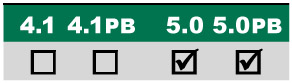
Employing lights, shadows, and transfer modes to create a graphical look with 3D.
Main Concepts:
These are the features and concepts we will be focusing on in this project:
Creating and animating solids
Importing Illustrator files as Comp
Using Null Objects for Expressions and Parents
Setting up a master color with Expressions
Parenting
Creating 3D layers
3D material options
Light Options
Animating a Light
Saving a Comp as a Proxy
Requirements:
After Effects 5.0 or later standard version.
Getting Started:
Inside the Tutorials master folder on the accompanying CD, locate and copy the 06_PiccadillyCircus folder to your hard drive.
In the folder Final Movies inside this main folder, double-click on and play the movies PiccadillyCircus.mov and Underground.mov. The first movie is what you will be creating in this tutorial; the second shows you how you will use it in the next tutorial.
Open the file PiccadillyCircus_5.aep inside the Project folder this is your starting point; we suggest you save under a new name after each major section.
The client brief for the next two tutorials is to create graphics for a travel series that uses the London Underground (the subway, also known as the tube ) as a central theme. Each segment of the show focuses on the shops, sites, and tourist attractions around a particular tube stop, such as Piccadilly Circus.
There are two parts to the overall design, each of which will be covered in this and the following tutorial: The...