After Effects in Production: A Companion for Creating Motion Graphics
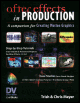
Tutorials and case studies for anyone who uses Adobe s After Effects multimedia authoring and product software for 2D or 3D productions.
 TABLE OF CONTENTS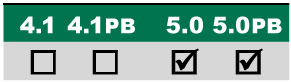
Using cameras and 3D space to create dimensional graphics.
Main Concepts:
These are the features and concepts we will be focusing on in this project:
3D coordinates
Alternate comp views
Moving objects in 3D
Layer rendering order
Camera Angle of View and Zoom
Continuous Rasterization
Track Camera tools
Moving and animating cameras
Switching between multiple cameras
Creating a viewer comp
Orientation versus Rotation
Layer intersections
Precomposing
Collapse Transformations
Combining 2D and 3D layers
Lights
Requirements:
After Effects 5.0 or later standard version.
Getting Started:
* Be sure to install the following plug-ins, included on the accompanying CD in the Free Plug-ins folder:
FE Sphere from Media 100 (www.media100.com)
Boris Tint-Tritone from Boris FX (www.borisfx.com)
Swedish plug-ins from Trapcode (www.trapcode.com)
Inside the Tutorials master folder on the accompanying CD, locate and copy the folder 08_Postcards to your hard drive.
In the folder Final Movie inside this main folder, double-click and play both Camera.mov and Postcards.mov.
Inside the Project folder you ll find two After Effects project files: Camera_5.aep and Postcards_5.aep. Open the Camera_5.aep project file: This is your starting point; we suggest you save under a new name after each major section.
At the end of this tutorial, we ll direct you to a guided tour of the more complex Postcards_5.aep project.
This tutorial will serve as an introduction to using the new 3D space features introduced in After Effects 5.0, focusing on camera animation, as well as combining 2D and 3D...