After Effects in Production: A Companion for Creating Motion Graphics
Tutorials and case studies for anyone who uses Adobe s After Effects multimedia authoring and product software for 2D or 3D productions.
 TABLE OF CONTENTS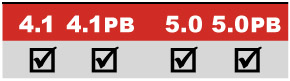
An effects and transition workout to create a spacey show title at D1 NTSC resolution.
Main Concepts:
These are the features and concepts we will be focusing on in this project:
Separating interlaced footage
Combining fill and matte movies
Nesting compositions
Choosing a title font
Importing an Illustrator file as Comp
Applying effects and Effect Favorites
Gradient Wipe effect
Displacement Map effect [PB]
Block Dissolve effect
Adjustment Layers
Knoll Light Factory EZ effect*
Velocity controls for effects
Using modes to enhance footage
Snapshots for comparing effects
Field rendering for D1 and DV
Requirements:
After Effects 4.1 or later; Production Bundle recommended for Displacement Map effect, but this effect is optional.
Third-party effects: Knoll Light Factory LE and Tinderbox T_LensBlur (both included on this book s CD in the Free Plug-ins folder).
Getting Started:
* Be sure to install the Knoll Light Factory LE effect from Pinnacle Systems (www.pinnaclesys.com) and the Tinderbox T_LensBlur effect from The Foundry (www.thefoundry.co.uk) included in the accompanying CD s Free Plug-ins folder.
Inside the Tutorials master folder on the accompanying CD, locate and copy the folder 10_Cosmopolis to your hard drive.
In the folder Final Movie inside this folder, double-click on and play Cosmopolis.mov.
Inside the Project folder you ll find the finished After Effects project file Cosmopolis.aep. Open the project file that is appropriate for your version: 4 for 4.1, or 5 for 5.0. If you have the Production Bundle, open the file ending in PB








