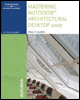
Mastering Autodesk Architectural Desktop 2007
In this chapter, we will look at Stairs and Railings. The core plan of the commercial building will include Stairs, elevators, and toilet room layouts. The exterior entrance plaza leading up to the commercial building calls for Stairs, a ramp, and Railings. The lobby will include a feature Stair. The Residential Project contains existing Stairs on the interior and an existing exterior Stair at the front entrance.
We will add Stairs for the basement and first floor of the residential project and lay out the core file for the commercial project. Our exploration will include coverage of the Stairs, Stair styles, and Railings. We will also look at tools available to represent elevators and ramps. The main tools covered in this chapter include the following:
Add and modify Stairs.
Add and modify Railings.
Add and modify ramps.
Add a Custom Stair.
Lay out elevators and restrooms.
Working with Stair Tower Generate.
Stairs and Railings.
When we work with Stairs, most parameters are configured in the style (refer to Chapter 2 for an overview of Object styles in ADT). Style-based settings include riser and tread relationships, stringer settings, landing rules, and display settings. Width and height parameters and clearances belong directly to the Stair object (and are therefore not part of the style). Stairs do not automatically include Railings; however, rules can be assigned to the Stair objects that control the placement of Railings. Railings are then added as a separate object, anchored to the...