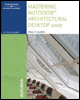
Mastering Autodesk Architectural Desktop 2007
Chapter 10: Progressive Refinement Part 1

INTRODUCTION

As a design scheme progresses, it is often desirable to begin including more detail in the articulation of Walls, Doors, and Windows. We may want to begin indicating construction materials of Walls with poch and other articulation. We have stressed throughout the book that ADT is designed to allow us to add objects with little detail early in the design cycle and progressively refine our design as more information becomes known. The key to being able to achieve this is working with the various Object styles. In this chapter part 1 in our exploration of progressive refinement we will focus on Wall styles, Wall Endcaps and Opening Endcaps.

OBJECTIVES

In this chapter, we will refine the first and second floor plans of the residential project. First, we will assign styles to all of the Walls. Then we will look at the steps involved in editing existing and creating a new Wall style. We will explore the following topics:

  • Understand Wall styles.

  • Import Wall styles.

  • Edit Wall styles.

  • Understand Wall and Opening Endcaps.

  • Create custom tools.

  • Build a Custom Wall style.

WALL STYLES

A Wall style is analogous to a Wall type in the Construction Document set. One Wall style might represent a stud Wall, while another represents a 2-hour fire rated masonry Wall. As you develop your floor plan, think in terms of having a Wall style for every Wall type you will have in your Wall type legend. Wall styles control the component makeup of a Wall type, and they...

UNLIMITED FREE
ACCESS
TO THE WORLD'S BEST IDEAS

SUBMIT
Already a GlobalSpec user? Log in.

This is embarrasing...

An error occurred while processing the form. Please try again in a few minutes.

Customize Your GlobalSpec Experience

Category: Door Stops and Holders
Finish!
Privacy Policy

This is embarrasing...

An error occurred while processing the form. Please try again in a few minutes.