 | Although DSP has long been considered an EE topic, recent developments have also generated signifi cant interest from the computer science community. DSP applications in the consumer market, such as bioinformatics, the MP3 audio format, and MPEG-based cable/satellite television have fueled a desire to understand this technology outside of hardware circles. Designed for upper division engineering and computer science students as well as practicing engineers, Digital Signal Processing Using MATLAB and Wavelets emphasizes the practical applications of signal processing. Over 100 MATLAB examples and wavelet techniques provide the latest applications of DSP, including image processing, games, fi lters, transforms, networking, parallel processing, and sound. The book also provides the mathematical processes and techniques needed to ensure an understanding of DSP theory. Designed to be incremental in diffi culty, the book will benefi t readers who are unfamiliar with complex mathematical topics or those limited in programming experience. Beginning with an introduction to MATLAB programming, it moves through filters, sinusoids, sampling, the Fourier transform, the z-transform and other key topics. An entire chapter is dedicated to the discussion of wavelets and their applications. A CD-ROM (platform independent) accompanies the book and contains source code, projects for each chapter, and the fi gures contained in the book. FEATURES:
|
 TABLE OF CONTENTS
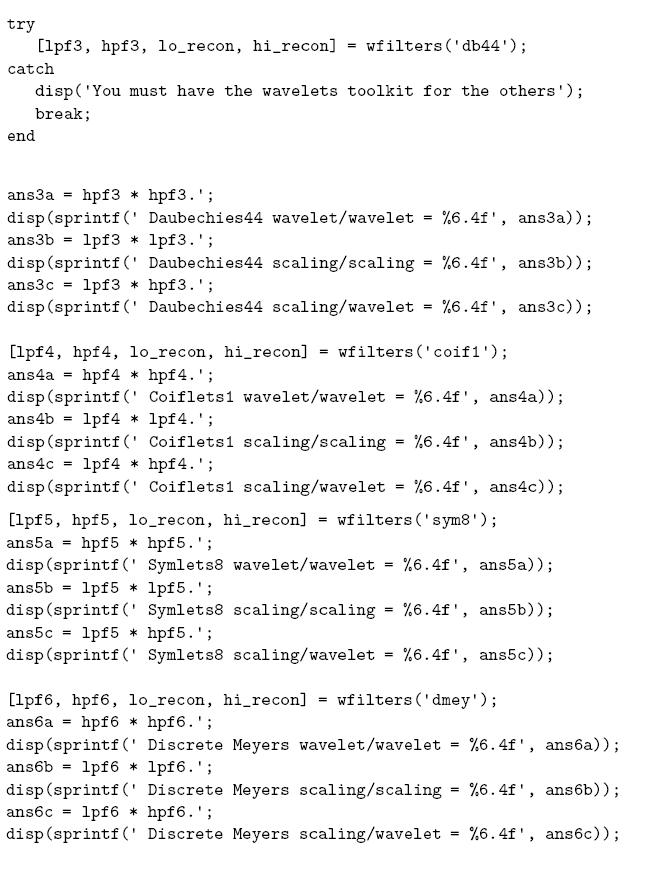
  . Given that the lowpass filter coefficients are
[
. Given that the lowpass filter coefficients are
[ ], we calculate the inner product
as the multiplication
of the first parameter with the transpose of the complex conjugate of
the second one. Here, both parameters are the same and real-valued,
and we get
], we calculate the inner product
as the multiplication
of the first parameter with the transpose of the complex conjugate of
the second one. Here, both parameters are the same and real-valued,
and we get
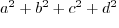 , which
must be 1 for the transform to be normalized.
, which
must be 1 for the transform to be normalized.  can be plotted by moving
  units to the
right (or left if
units to the
right (or left if  units up or down
(up/down being 90 degrees away from right/left) to find the point's location.
The bases for the Cartesian point
units up or down
(up/down being 90 degrees away from right/left) to find the point's location.
The bases for the Cartesian point  and
and  .
If we find the inner product,
.
If we find the inner product,
![$< [1 \; 0], [0 \; 1] >$](/RefArticleImages/AC20BF92F42FAE8F4B1DC1261E2AD45F_img251_9.gif) , we see that it results
in
, we see that it results
in
 . We define orthogonality as the attribute
that the inner product of the bases equals zero, which holds for higher
dimensions as well.
. We define orthogonality as the attribute
that the inner product of the bases equals zero, which holds for higher
dimensions as well. ![\begin{alltt}
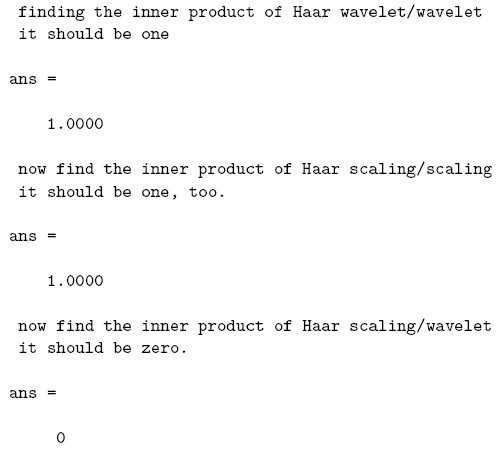
%%
\par
lpf = [1 1] * (1/sqrt(2));
hpf = [-1 1]* (1/sqrt(2));
...
...et{\squ});
disp({\squ} it should be zero.{\squ});
lpf * hpf.{\squ}
\end{alltt}](/RefArticleImages/AC20BF92F42FAE8F4B1DC1261E2AD45F_img253_9.gif)
 and
and  to keep them separate from the lowpass filter and
highpass filter coefficients that we used above.
to keep them separate from the lowpass filter and
highpass filter coefficients that we used above.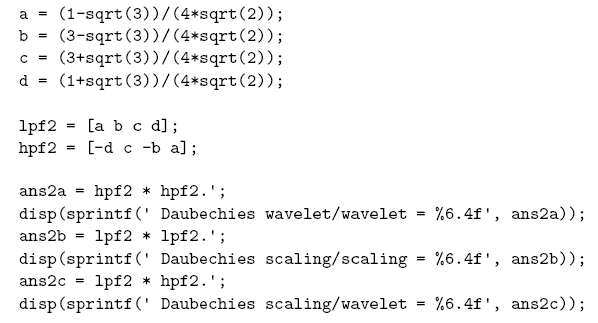
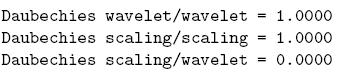


 , we know its inner product:
 .
We also know its length is
.
We also know its length is
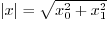 .
Using these two pieces of information, it is easy to verify that
we can define the vector's length in terms of an inner product,
as above. Signal
.
Using these two pieces of information, it is easy to verify that
we can define the vector's length in terms of an inner product,
as above. Signal