3D Graphics ReferencePoint Suite

Create basic 3D geometry, presentations, and animations and implement NURBS modeling in 3-D Studio Max.
 TABLE OF CONTENTS
 The Adobe Atmosphere builder enables you to create three-dimensional (3-D) worlds using various objects. You can apply lighting effects to these worlds as a layer of light and shadow, called a light map.
This ReferencePoint explains how to use lighting to create realistic 3-D worlds. It describes the various light sources that are used in a 3-D world and their settings. The ReferencePoint also explains how to position light sources in a 3-D world.
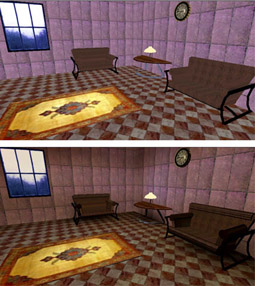
Light maps are used to add depth to 3-D worlds, which would otherwise appear flat and unreal. Figure 4-6-1 shows the difference between a 3-D world with and without a light map:
When you create a 3-D world, it is saved as an atmosphere (.aer) file, which contains information about:
Structure of the world
Objects in the world
Lighting in the world
Information about lighting is saved in a light map, which is a layer of light and shadow that is applied to objects or object faces in the world. This layer interacts with all the surfaces in the world based on lighting settings.
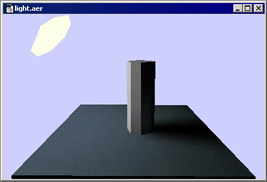
For example, if you apply a light source near a column object, the side of the object closest to the light source will appear the brightest. The column will also cast a shadow on its surrounding objects based on the position of the light source. Figure 4-6-2 shows the illuminated column:
Light maps are calculated using radiosity,...