Instant DVD Workshop 2.0

Featuring carefully detailed screenshots and step-by-step instructions, this Instant guide will show you how to create DVDs with Ulead software in a concise, time-efficient way.
 TABLE OF CONTENTS
 The Edit screen is where all of the media is trimmed and adjusted in preparation for use in your DVD project.
Because DVD Workshop is a professional application, understanding some technical information will help you get the most out of the software.
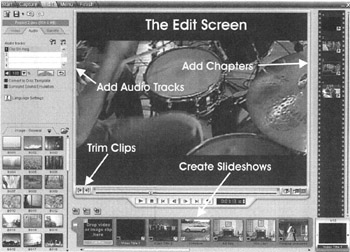
The Edit step of DVD Workshop 2.0 is where titles may be manipulated so that they are more appealing to the DVD viewer. Titles may be trimmed so that unnecessary video is deleted, up to 8 audio tracks may be added to each title in the project, and chapter points may be added to each title so that the viewer can quickly skip from scene to scene. In addition, you may easily create slideshows with background audio in the Edit step.
Video used in DVDs is compressed to the MPEG-2 format. MPEG-2 can produce high-quality video while taking up very little disk space because only some frames of the video contain all of the data required to produce a frame. These frames are called I-frames, for "intraframes."
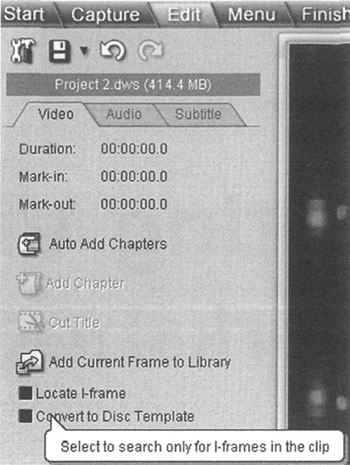
The other frames in a MPEG video are called P-frames or predictive frames, and B-frames or bidirectional frames. P-frames use data from the previous frame to generate a frame, and B-frames use data from both of the frames on either side of it to generate an image.
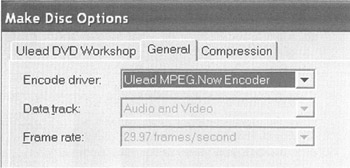
While editing MPEG video clips, you should use I-frames. Because I frames contain all of...