Instant DVD Workshop 2.0

Featuring carefully detailed screenshots and step-by-step instructions, this Instant guide will show you how to create DVDs with Ulead software in a concise, time-efficient way.
 TABLE OF CONTENTS
 The technical and creative tips in this chapter might turn a good DVD layout into a great one. The menu links and appearance are a big part of what makes a DVD interesting or not. Try some of these workflows and see what a difference it makes in your project.
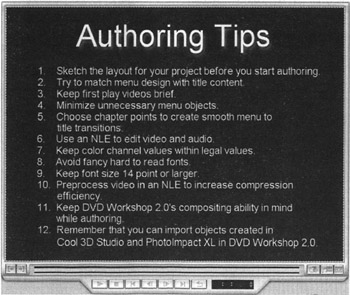
Just like your teacher used to tell you, "Plan your work and work your plan."
As was mentioned in Chapter 2, it's a good idea to sketch out the linking behavior of the menus in your project before you start to create it. Using pencil and paper is a good idea, just to map out the disc.
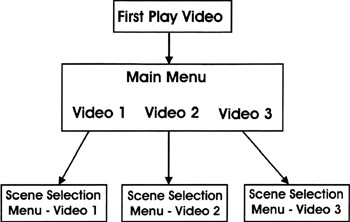
It should be very obvious to the viewer how to navigate your DVD. If the menus are too complicated, or if it isn't obvious what content is contained in each menu, then the frustrated viewer may lose interest in the DVD before even viewing it! Keep it clear.
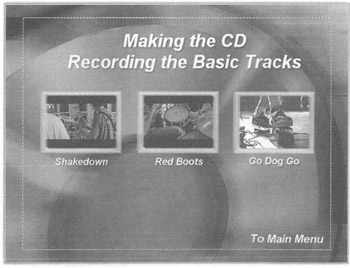
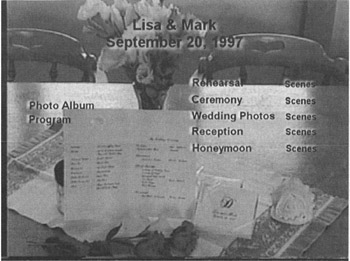
Try to relate the design of the menus with the content of the disc. A good menu will use elements of the media contained on the disc to give the disc a cohesive feel. In this example a motion menu was created by panning on a still life of the wedding program and flowers.
Remember that the viewer will have to sit through the introductory video every time the disc is played. As a general rule keep introductory videos to 10 or 15 seconds. Unless there...