Instant DVD Workshop 2.0

Featuring carefully detailed screenshots and step-by-step instructions, this Instant guide will show you how to create DVDs with Ulead software in a concise, time-efficient way.
 TABLE OF CONTENTS
 Creating menus is one of the powers of DVD authoring. All of the previous lessons have been leading toward actually creating menus for your projects.
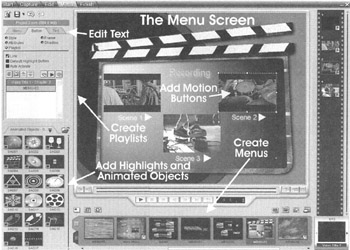
Menu creation is at the heart of DVD Authoring. In the menu screen you will learn how to link objects and text to titles to create buttons. In addition, playlists, one of the most powerful features of DVD Workshop 2.0, are also created and adjusted in the menu screen. You may also use hidden buttons, animated objects, highlight images, motions menus, background music, motion objects, and a variety of other decorative elements to make your menus not only extremely user friendly, but also artistic statements that complement the theme of your project.
The first step to using the Menu Wizard is to load all of your media into the Title List with chapter points set. The screenshot displays a project named Video Title 1 containing four chapters, Video Title 2 containing three chapters, and Slideshow containing six images. Let's see how the Menu Wizard handles these titles.
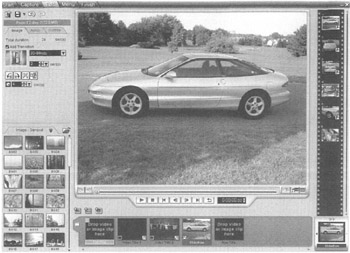
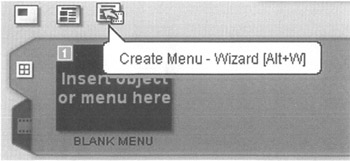
Select the Create Menu - Wizard icon to start the Menu Wizard. You may also press Alt+W.
Select the titles that you would like the Menu Wizard to include in the project. In this sample project we are going to include all three titles so we can see how the Menu Wizard deals with them. Select Add All, and the titles will move...