Instant DVD Workshop 2.0

Featuring carefully detailed screenshots and step-by-step instructions, this Instant guide will show you how to create DVDs with Ulead software in a concise, time-efficient way.
 TABLE OF CONTENTS
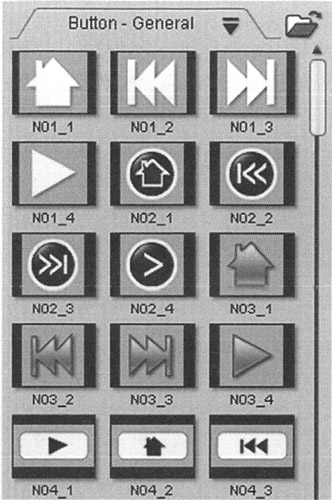
 DVD Workshop is loaded with a huge library of stock graphics and video that may be used to enhance your menus. Remember, to access these assets you must have the Menu Options panel>Button tab selected.
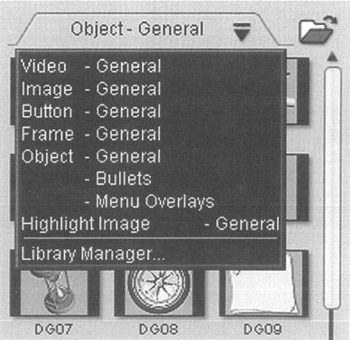
Here you will find a variety of buttons that can be used in your menus. You can quickly drag a button onto a menu to use it. After getting the button on the menu, it's an easy task to link a video or slideshow to the button.
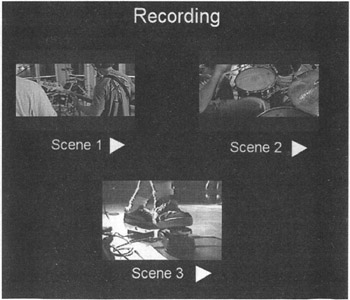
In this example, triangle-shaped play buttons have been added to each scene in the menu.
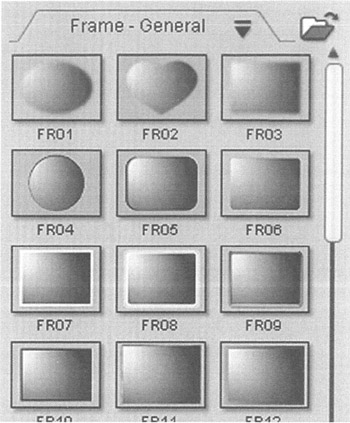
Frames can not only be used forbuttons, but they can also be scaled to the size of the Preview window and used to create custom menus.
In this example a frame FR35 has been added to the menu and moved to the back layer so that the other graphic objects remain visible. The Recording style frame was selected to keep in theme with the recording motif of the clips. A text effect was also applied to the Recording text.
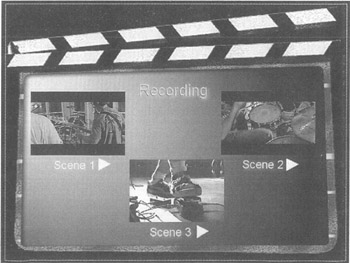
If you can't find an object in this area of the Library that fits your project remember that you can import graphics objects that have been created in other applications such as Photo Impact or Photoshop. Try as I might, I couldn't find anything here that even remotely fit this sample menu! So, I...