LabVIEW Graphical Programming, Fourth Edition
Written in a highly accessible and readable style, this book illustrates basic LabVIEW programming techniques as well as advanced programming concepts.
 TABLE OF CONTENTS
 With every major release of LabVIEW, we've watched the general architecture of instrument drivers change significantly. Back in the time of LabVIEW 1, about the only I/O functions we had were GPIB read and write, and serial port read and write. Because the product was so new, driver architectures weren't really defined, and there was a degree of chaos in the blossoming driver library. With LabVIEW 2, we gained IEEE-488.2 functions and the important application note Writing a LabVIEW 2 Instrument Driver, which gave developers directions regarding hierarchical program design. In the time of LabVIEW 3, those of us involved in driver (and DAQ) development standardized on error I/O as a common thread. It really cleaned up our diagrams, eliminated many Sequence structures, and unified error handling. VME Extensions for Instrumentation (VXI) instruments appeared, as did the initial VISA Transition Library (VTL). (VTL was implemented as a wrapper around the existing GPIB functions, rather than as native functions.) Many consultants launched their careers by writing drivers for VXI instruments, some of them using VTL as the foundation. Since LabVIEW 4, VISA is the primary platform for driver development in LabVIEW and in many other instrumentation control languages.
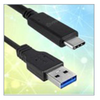
The Virtual Instrument Software Architecture (VISA) provides a standard communication driver to handle all forms of instrument I/O, whether the bus is GPIB, VXI, PXI, Serial, Ethernet, or USB. VISA is an accepted standard and an integral part of LabVIEW. The principle is simple: There is a consistent interface...