LabVIEW Graphical Programming, Fourth Edition
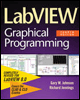
Written in a highly accessible and readable style, this book illustrates basic LabVIEW programming techniques as well as advanced programming concepts.
 TABLE OF CONTENTS
 When it comes to graphical man-machine interfaces, LabVIEW is among the very best products you can choose. The library of standard and customizable controls is extensive; but more than that, the function of each control is determined by you, the crafty programmer. In the process control world, there are several commonly used displays that you will probably want to implement in one form or another (Figure 18.13):

Process mimic displays are based on simplified P&ID diagrams. Various elements of the display are animated, tying measurements and status information directly to physical elements in the plant. Operators really like this kind of display. You can draw a representation of the system and import the picture into LabVIEW, then overlay it with various controls and indicators. Valves, heaters, and alarm indicators are usually booleans, while various numeric controls and indicators are placed near their respective instruments. DSC provides a library of process control symbols that speed the creation of your displays.
Trending displays (graphs or strip charts), of which there are two types: historical trends and real-time trends. A real-time trend displays up-to-the-minute data, but may not go very far back in time. It relies primarily on data stored in memory. Historical trends usually read and display data from large disk files. Trending is discussed later in this chapter.
Controller faceplate displays look and act much like the front panels of SLCs.