LabVIEW Graphical Programming, Fourth Edition
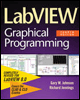
Written in a highly accessible and readable style, this book illustrates basic LabVIEW programming techniques as well as advanced programming concepts.
 TABLE OF CONTENTS
 In just a few years, LabVIEW RT has grown from a niche product to become a staple of automation. LabVIEW RT on one of National Instruments' many industrial computers conveniently fills the gap between a Programmable Logic Controller (PLC) and a PC. The result is a whole new class of industrial controller called the Programmable Automation Controller (PAC). PACs fill a need for high-loop-rate, closed-loop control systems requiring advanced analysis and integration with the corporate network. And PACs do it for a reasonable cost.
Whether you're programming a PAC or just need a reliable DAQ sys-tem in the lab, LabVIEW RT has the hardware and software to fill most needs. Applications written in LabVIEW RT are deployed on an embedded target (one with no keyboard, mouse, or display) and run under a commercial real-time operating system (RTOS). You build your application under Windows on a regular PC, and then you download the code via Ethernet to run on the real-time target system. All the functionality of regular LabVIEW is available. LabVIEW RT and PACs let us attack a whole new class of applications while maintaining the familiar ease of development and use for which LabVIEW is famous.
In this chapter, we'll start with some background information about real-time systems and LabVIEW RT, and then we'll cover the important issues that crop up when you develop real-time applications, including timing, multithreading, task scheduling, and task priorities. Let's start off by defining what we mean by real...