LabVIEW Graphical Programming, Fourth Edition
Written in a highly accessible and readable style, this book illustrates basic LabVIEW programming techniques as well as advanced programming concepts.
 TABLE OF CONTENTS
 In the last edition of this book we showed you how to build an embedded system using LabVIEW for Linux and a PC 104 computer. It was big and power-hungry, but at the time it was the only way to build an embedded system with LabVIEW. National Instruments has been hard at work on its own version of LabVIEW for embedded systems, and it's so much better than anything you or I could do. LabVIEW can now target any 32-bit microporcessor (Figure 17.1) To get an inside look at LabVIEW Embedded, we asked P. J. Tanzillo, National Instruments' product support engineer for the LabVIEW Embedded platform, to give us a hand and tell us what this new technology is all about. So, without further ado, here's P. J.:
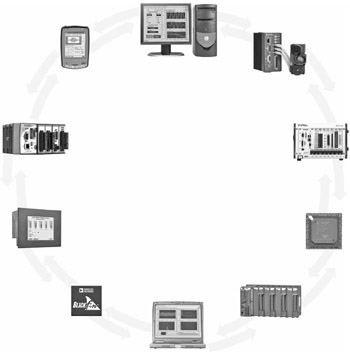
LabVIEW is much more than a tool for instrument control and data acquisition. With its extensive built in signal processing and analysis libraries, LabVIEW has developed into an ideal environment for algorithm development and system design. Furthermore, with the addition of the LabVIEW modules like the LabVIEW Real-Time Module and the LabVIEW FPGA Module, it has become possible to run these applications not just on a Windows PC, but on other hardware platforms as well. In this chapter, we will examine the newest such module called the LabVIEW Embedded Development Module. This...