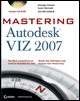
Mastering Autodesk VIZ 2007

Chapter 1: Getting to Know VIZ

Overview

Welcome to Mastering Autodesk VIZ 2007. Once again, Autodesk VIZ 2007 benefits from the development of its sister product, 3ds Max, to give architects and other design professionals an indispensable design tool. VIZ 2007 gives designers cutting edge rendering technology, easier-to-use architectural materials, improved communication with other software, enhancements to modeling and animation tools, and improvements in the user interface.

This chapter introduces some of VIZ 2007 s special features and then gets you started working with the VIZ 2007 interface.

  • Introducing VIZ 2007 Features

  • Getting Started

  • Touring the Interface

  • Working with Objects

  • Getting the View You Want

  • Working with the Custom UI and Defaults Switcher

Introducing VIZ 2007 Features

With each new version of VIZ, Autodesk inevitably adds some cool bells and whistles that old and new users will certainly appreciate. VIZ 2007 is no exception to that new-feature rule. Autodesk has smoothed out some old rough edges when it comes to using multiple files on a project, asset and support searches, the implementing of XRefs, DWG importing/exporting, and more still. Take a look at the features in the Asset Tracking System, the improvements to XRefs, and other features listed next.

Asset Tracking System You ve probably noticed when you are working with complex projects using many file assets acquired from several sources that keeping track of all the required files is an arduous task. Any files that you can t locate when a file is opened or rendered can trigger a warning...

UNLIMITED FREE
ACCESS
TO THE WORLD'S BEST IDEAS

SUBMIT
Already a GlobalSpec user? Log in.

This is embarrasing...

An error occurred while processing the form. Please try again in a few minutes.

Customize Your GlobalSpec Experience

Category: Digital Asset Management Software
Finish!
Privacy Policy

This is embarrasing...

An error occurred while processing the form. Please try again in a few minutes.