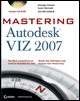
Mastering Autodesk VIZ 2007

Chapter 8: Enhancing Models with Materials

Overview

The materials feature of VIZ lets you simulate surface color, texture, transparency, and even reflectance and roughness or bumpiness. The Material Editor in VIZ lets you create and modify materials that you can then apply to objects to achieve a realistic effect.

This chapter will introduce you to the Material Editor and how to use, design, and edit materials. You ll see how materials can be used to add color and realism to your models.

  • Understanding Bitmap Texture Maps

  • Adding Materials to Objects

  • Understanding Mapping Coordinates

  • Editing Materials

  • Selecting Shaders

  • Mapping Scalar Modifiers

  • Using Bump Maps

  • Adding Entourage

  • Raytracing Reflection and Refraction

  • Assigning Materials to Parts of an Object

  • Using the Architectural Material

  • Material Utilities

UNLIMITED FREE
ACCESS
TO THE WORLD'S BEST IDEAS

SUBMIT
Already a GlobalSpec user? Log in.

This is embarrasing...

An error occurred while processing the form. Please try again in a few minutes.

Customize Your GlobalSpec Experience

Category: Color Meters and Appearance Instruments
Finish!
Privacy Policy

This is embarrasing...

An error occurred while processing the form. Please try again in a few minutes.