Project Planning & Scheduling Using Primavera Contractor Version 4.1: For the Construction Industry

This chapter will look at the following topics:
User Preferences,
The Settings menu items,
Options, a multi tab form under the Admin menu, and
Advanced Scheduling Options.
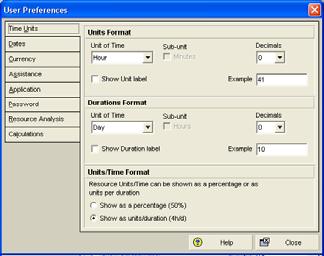
Select Edit, User Preferences to open the User Preferences form. This form is used to set up a number of user-defined parameters, which will determine how data is displayed.

The User Preferences form may also be opened by right clicking in the right hand side of the bottom views when the Resource Usage Spread Sheet or Resource Usage Profile are being displayed.
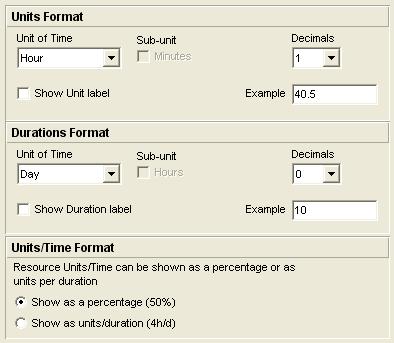
The Units Format section of the tab is used to define the format of the Unit of Time that resource assignments are displayed with, e.g. days or hours. The Durations Format section of the tab is used to define the format of the Unit of Time that activity durations are displayed with, e.g. days or hours.

The Units/Time Format section of the form allows for the Microsoft Project-type formatting options of Resource/Time Format to show Resource utilization as a percentage (50%) or as units per duration (4h/d).
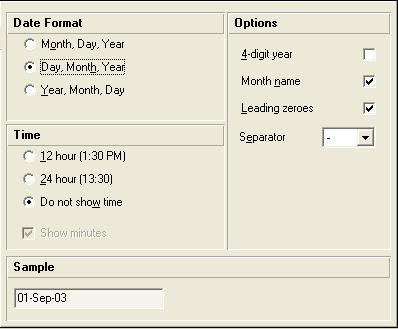
The Dates tab is self-explanatory and is used to format the display of dates and time.

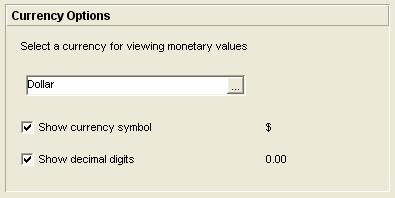
The Currency Options tab selects the currency symbol used to display costs.

The Currencies form, available from the Admin menu item,...