Project Planning & Scheduling Using Primavera Contractor Version 4.1: For the Construction Industry
Select Edit, User Preferences to open the User Preferences form:
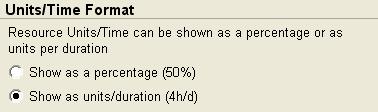
Select the Time Units tab. The Units/Time Format allows Microsoft Project style formatting of Resource/Time Format showing Resource utilization as a percentage or as units per duration.

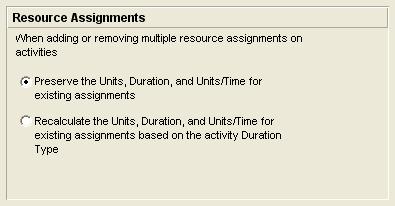
The Calculations tab has two options:
Preserve the Units, Duration, and Units/Time for existing assignments. With this option as Resources are added or deleted the total number of hours assigned to an activity increases or decreases. Each Resource s hours are calculated independently.

Recalculate the Units, Duration, and Units/Time for existing assignments based on the activity Duration Type. The total number of hours assigned to an activity will stay constant as second and subsequent resources are added or removed from an activity. Note: This function does not work when the Activity Type is Fixed Duration and Units/Time.
| Tip | This is similar to making a Task Effort Driven in Microsoft Project. There is no similar function in P3 and SureTrak. |