Project Planning & Scheduling Using Primavera Contractor Version 4.1: For the Construction Industry

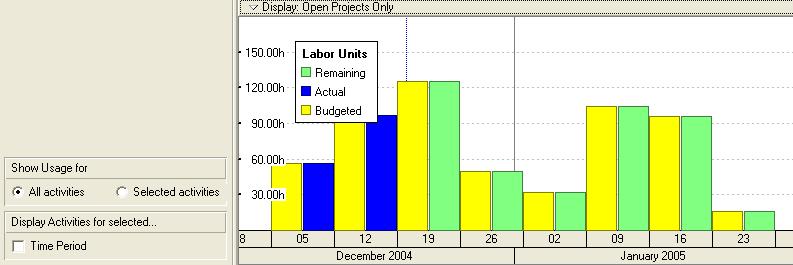
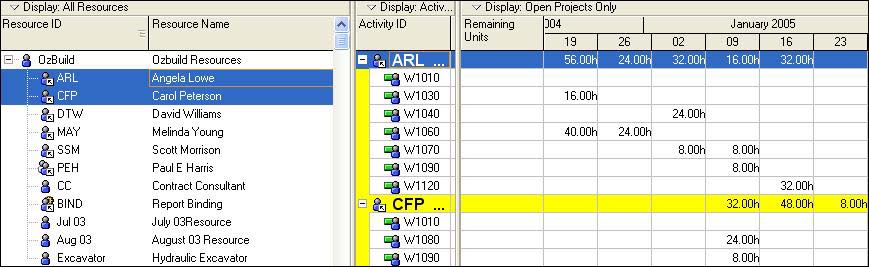
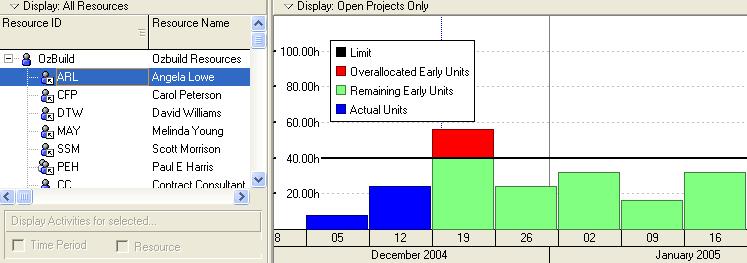
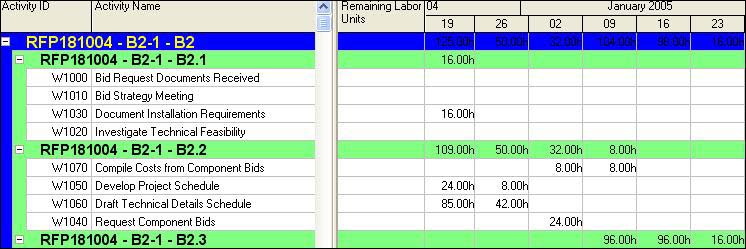
There are a number of facilities for reviewing the resource, these are typically displaying a Layout or running a report. Reports are not in the scope of this book but the following layouts may be displayed in the Activities Workspace. Formatting of these Layouts is achieved by using the menus and right clicking. The displays are affected by the Timescale interval and these Layouts will not be covered in detail as they are self-explanatory.


Background
The Resources must now be assigned to their specific activities.
Assignment
Open the OzBuild with Resources project non-statused and complete the following steps.
In the Activities Workspace display the Gantt Chart in the top view and Resources tab of the Activities Details form in the bottom view.
Open the User Preferences form:
Select the Ca l culations tab and set the Resource Assignments option to Preserve the Units, Duration, and Units/Time for existing assignments.
Select the Time U nits tab and set the Units/time option to units/duration (4h/d) and the Units Format, Units of Time to Hours with 2 Decimal Places.
Format the Resources tab with the columns shown below and assign the following
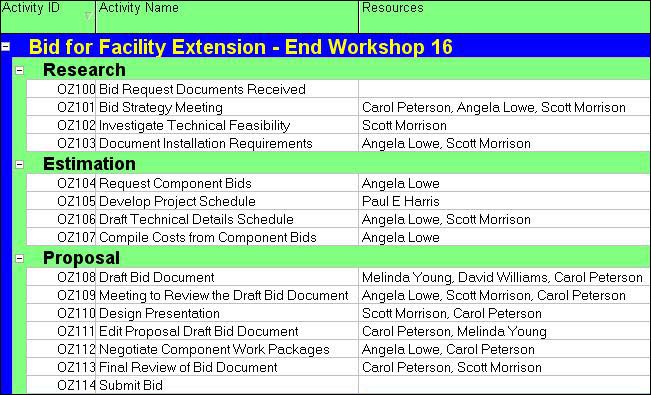
Assign the following Resources to the Activities using the
button:

In the top view display the Activity Usage Spreadsheet...