Final Cut Pro 3 Editing Workshop, Second Edition
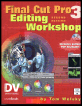
Become an FCP software editing pro with this hands-on reference.
 TABLE OF CONTENTS
 Now that you ve got your material into Final Cut Pro and sliced and/or diced it up, we re ready to begin putting it all together.
As in the previous lesson, start by loading the CD into your CD drive. When you begin any lesson that needs material from the CD, you should first drag the needed folders onto the media drive of your computer. The sound and video clips included there will play much better and more smoothly from your computer s high- speed media drive than from any CD drive. For this lesson you ll also need the folders called Media1 (if you haven t dragged it over already) and Lesson 4, which is inside the Projects folder on the CD.
Drag Lesson04 onto your internal system drive. Again, probably the best place for it is in the Shared folder in the Users folder.
You have to have both folders because this lesson s project file is in the Lesson 4 folder, while the media, which will again be Damine.mov, is in the Media1 folder.
Before opening anything, eject the CD from your computer.
Now open the Lesson 4 folder on your hard drive and double-click the project file, L4, to launch the application.
When the project finishes loading, you ll be greeted with the dialog box in Figure 4.1.
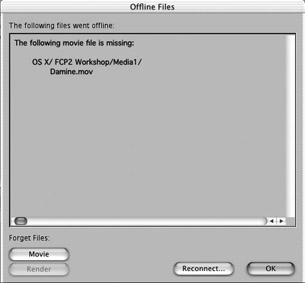
Figure 4.1: Offline Files Dialog Box
Do not press Enter or click OK. Instead click on the Reconnect