Object-Oriented Programming for Windows 95 and NT
A beginner to intermediate level guide to object-oriented programming for the Windows 95 and NT platforms.
 TABLE OF CONTENTS
 Command buttons give the user the opportunity to initiate an event (Figure 7.6). For example, the familiar OK and Cancel buttons are signals from the user that details in a dialog box are correct or that an action is to be abandoned. Buttons are also used to provide other choices for a user and a series of buttons may be placed on a toolbar to give the user fast access to actions that must otherwise be activated through the menu system. The class of command buttons is the base class for derivatives such as check boxes and radio buttons.
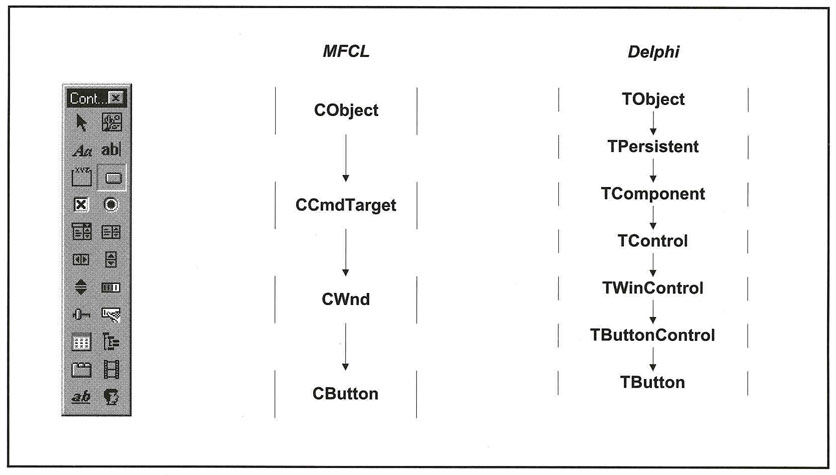
Command buttons consist of a rectangle with a caption. Usually, command buttons are created in such a way that a mouse click temporarily changes the button picture, giving the impression of a button being pressed, then released.
Command buttons respond to two major events: the mouse button click and double-click (though Visual Basic restricts this to click events only). In addition, you can code for events such as the mouse button being pressed or released, dragging the pointer over the button's "airspace," or receiving and losing the focus.
There is a special Default property that can be applied to one (and only one) button on a dialog box or window. This is determined by the BS_DEFPUSHBUTTON style, which identifies the control as the default button. The default button has a thicker border, and pressing the ENTER key has the same effect as...