Object-Oriented Programming for Windows 95 and NT
A beginner to intermediate level guide to object-oriented programming for the Windows 95 and NT platforms.
 TABLE OF CONTENTS
 The edit box is the means by which a user can enter any type of information into the application (Figure 7.14). In Visual Basic, this control is referred to as a text box. The box is added in the same way as for a button or label.
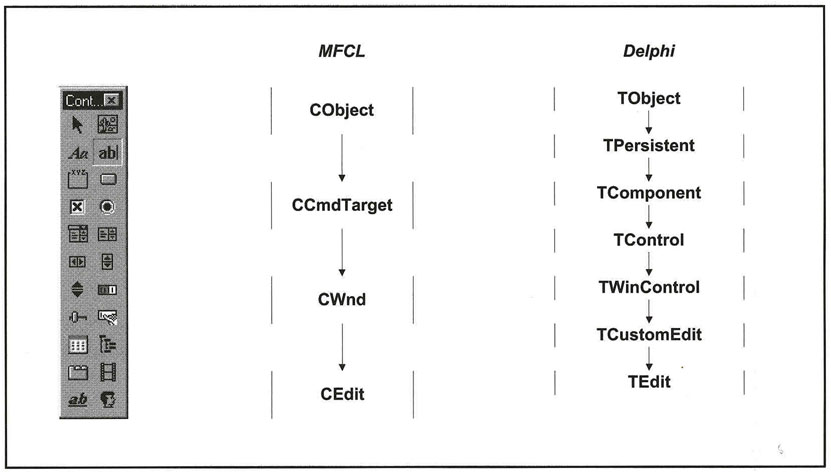
The edit box is surrounded by a rectangle (which may be made invisible) and may cover one or more lines. Edit boxes are used for all types of data entry: single- or multi-line text, integers, real numbers, dates, times and so on. Single-line boxes are used for individual data entries while multi-line boxes allow the entry of free-form text.
As far as the user is concerned, when an edit box has the focus a vertical bar appears at the end of the existing text (if any). The user can enter any value into the edit box and all the usual editing keys are available.
The user completes the entry in a number of ways:
Tabbing to the next control
Clicking on another control
Pressing ENTER to activate the default button or ESC to activate the Cancel button
Clicking on another window or ending the current application
It is up to the programmer to decide what happens when the control loses the focus. Normally, some sort of validation is carried out. One of the drawbacks of the edit box is that once the user starts to typing in it, the programmer almost loses control...