Object-Oriented Programming for Windows 95 and NT
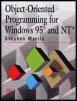
A beginner to intermediate level guide to object-oriented programming for the Windows 95 and NT platforms.
 TABLE OF CONTENTS
 Menus are a feature of most Windows applications. All Windows users are familiar with menus and their use, and they provide a convenient way for grouping related procedures together. The creation of menu systems is surprisingly easy, and it is also possible to expand or reduce menus at run-time. This chapter discusses the issues involved in setting up a menu system.
Most Windows programs have a menu bar along the top of the window. The bar contains a row of menu names, associated with each of which is a drop-down menu. This is a list of menu items that appear below the menu name when the name is clicked. The term menu is usually taken to mean the menu name and its associated list of items. Therefore a menu bar consists of a number of separate menus.
Somewhat confusingly, drop-down menus are also sometimes called pop-up menus. This term is also used in other circumstances. Sometimes clicking on a menu item will result in a sub-menu appearing to the right of the main menu. Sub-menus are also referred to as pop-up menus or cascading menus. Here, the terms "drop-down menu" and "submenu" are used.
The operation of a menu system is very simple:
Clicking on a menu name brings up the menu.
Clicking on an item in the menu executes the related procedure or brings up a submenu.
Clicking on any other part of the window removes the drop-down menu from...