Object-Oriented Programming for Windows 95 and NT
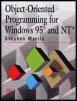
A beginner to intermediate level guide to object-oriented programming for the Windows 95 and NT platforms.
 TABLE OF CONTENTS
 By now, the appearance of the finished application should have been determined. The program consists of a main window, child windows, and dialog boxes. The windows probably have menu bars, with full menu system set up, and the dialog boxes should be filled with a full variety of controls. The program can be run and the windows and menu will appear on screen as expected. As yet, however, they don't do anything other than respond in the standard ways. The main window can be resized, minimized, and maximized; the menus can be made to drop down; and the program can be terminated by double-clicking on the control-menu box. Other than these "intuitive" responses, which are built into the classes from which the objects are created, there is no effective response to the user's actions.
This chapter looks at the ways in which the objects can be made to respond to the events that may occur: displaying a dialog box when a menu option is selected or performing a calculation when a button is clicked, for example.
Windows programs are event-driven. That is, the order of execution of the program's procedures is determined by externally-generated actions, rather than by the program code itself. With traditional programming methods the user is offered a fixed list of options, available at any time, and the program waits until some action is taken, then reacts to it.
Every action that the program might have to respond to is called an event.