Object-Oriented Programming for Windows 95 and NT
A beginner to intermediate level guide to object-oriented programming for the Windows 95 and NT platforms.
 TABLE OF CONTENTS
 When the user is required to switch a feature on or off, the usual approach is to provide a check box (Figure 7.20). This is a special type of command button, consisting of a caption with a rectangle to the left. When the user clicks on the rectangle, an "X" is put in the box; clicking again removes the "X." For example, a check box may be used in a textsearch dialog box to determine whether or not the search should be case sensitive.
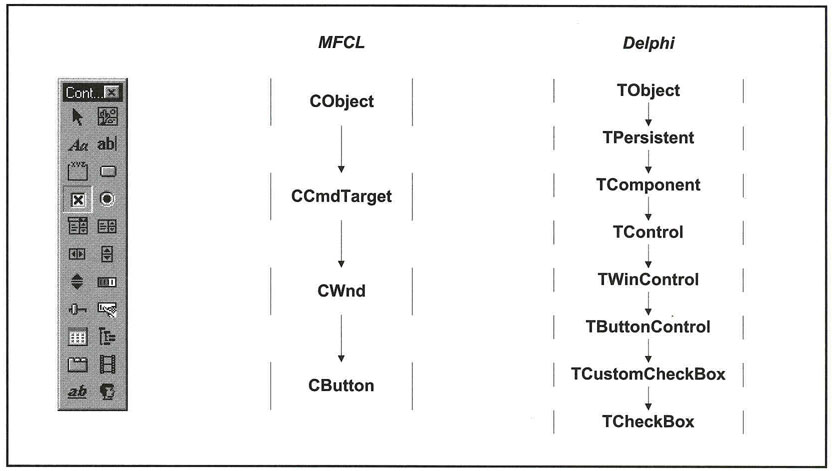
There are two types of check boxes: two-state check boxes that can either be on (checked) or off (unchecked), and each click toggles between these two states; or threestate check boxes, which have an additional gray state. This is usually selected by the program when the feature offered by a check box is either not available or not applicable.
Usually, if there is more than one check box on a dialog box, the boxes will behave independently of each other. If you want the boxes to be related in some way (for instance, clicking on one box automatically checks another box), then this must be dealt with in the event-handling methods. Check boxes are often included in groups.
The events recognized by check boxes are the same as for ordinary buttons. There are special methods for setting the state of the check boxes.
Visual C++ includes check boxes in the CButton class. A button becomes...