Object-Oriented Programming for Windows 95 and NT
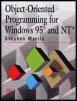
A beginner to intermediate level guide to object-oriented programming for the Windows 95 and NT platforms.
 TABLE OF CONTENTS
 Most Windows applications depend on the use of controls to perform the tasks that are required of the program. However, there are occasions when you want to write text or graphics directly to a window, without using controls. This chapter looks at the facilities provided by Windows for direct graphics operations.
The graphics operations are a set of Windows functions that make up the Windows Graphics Device Interface (GDI). This is a subset of the full Windows API, and the GDI functions will be found mixed in with the other API functions in the reference books.
The GDI functions are used for the following tasks:
Creating and deleting device contexts (described below)
Changing the coordinate system
Changing the graphics-drawing area
Creating, selecting, and changing pens and brushes
Drawing points, lines, and shapes
Changing colors and palettes
Creating and selecting fonts
Writing text to the window
Each of these groups of functions is described below.
A device context (DC) represents the "logical" drawing area of a window and provides the link between the application and the device driver. A device context can apply to the screen, the printer, or any other output device. Borland use the term display context when referring to screen output.
When writing graphics directly to the screen with Visual C++, you must follow these three steps:
Access a device context, using the GetDC Windows function. Windows allocates a device context for the window whose handle was specified...