Animating with Microstation
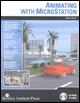
For architects and engineers who deal with 3D rendering and animations, this text covers every aspect of animating in detail, including cameras, paths, actors, motion blurs, global and source lighting, and targets.
 TABLE OF CONTENTS
 In this chapter you will learn how to animate materials and lights including solar time. You will learn how to use the Animator s Tree view and Timeline editor to easily edit animation scripts.
If you are using MicroStation V8 XM Edition, you will notice that the Tree view and Timeline are incorporated into the Animation Producer and are no longer separate dialogs. Topics covered in this chapter include:
Animating materials
Animating source lights
Animating sequential images
Animation using Saved Views
The Animator Tree View function
The Animator Timeline function
The Animation of solar time
The Solar Study function
In this chapter you will learn how to animate materials over time to create effects such as running water. You will learn how to animate source lights by changing the color and intensity of lights over time.
Use the Animator s Tree view and Timeline editor to graphically see the animation scripts and more easily edit them. In addition to using the animation camera actor, you will learn how to use saved views to create camera animations. Finally, you will learn how to use the Animator to animate solar time and how to use a special utility called Solar Study to animate solar time over extended periods of time.
As in previous chapters, all exercises are noted by the following graphic headers to indicate to you if they are for V8 and prior versions, for V8 XM Edition, or for all versions.
V8: This indicates V8.5 and earlier version exercises.